
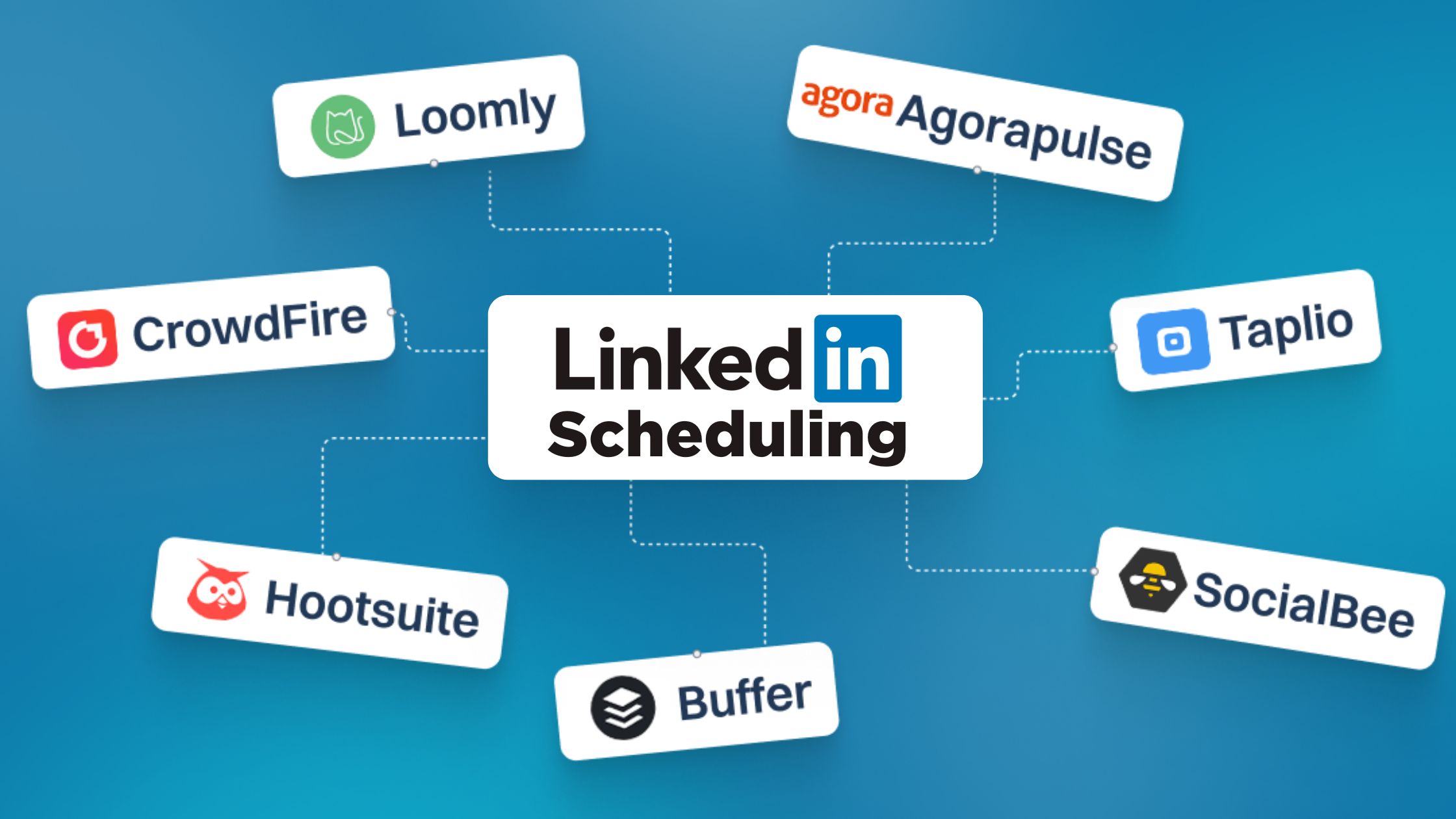
In today’s professional world, LinkedIn isn’t just a resume it’s your personal brand, your network, and a powerful content platform. But let’s be real, consistently posting engaging content can feel like another full-time job. What if there was a way to stay active, visible, and super-efficient?
Enter LinkedIn scheduling tools! These digital sidekicks help you plan, create, and publish your posts without the daily grind. Ready to streamline your workflow and make LinkedIn work harder for you? Let’s dive into the top 10 tools that will revolutionize your strategy!
Why Use LinkedIn Scheduling Tools? 
The core benefit of a scheduling tool is shifting your workflow from reactive to strategic. Workflow automation software can additionally help streamline repetitive tasks, improve efficiency, and ensure consistent execution across your content strategy. This automation directly impacts your visibility, credibility, and overall engagement:
- Achieve Unwavering Consistency: The LinkedIn algorithm and your audience reward regular posting. Scheduling ensures you maintain a steady, predictable stream of content, which is proven to double engagement rates compared to inconsistent posting.
- Target Optimal Posting Times: Schedulers use data to help you post when your connections are most active, maximizing the views and interactions on your content, regardless of your time zone.
- Batch Creation for Focus: You can dedicate a single, focused block of time to create content for the entire week or month, saving hours otherwise spent on daily interruptions.
- Strategic Content Planning: These tools provide a visual calendar, allowing you to plan campaigns and ensure a healthy, balanced mix of updates.
Must-Have Features in LinkedIn Scheduling Tools

A great scheduler gives you a strategic edge, offering more than just basic publishing. When evaluating the tools, ensure they offer these essential capabilities:
- Publishing:
- Personal Profile & Company Page Support: The tool must be able to post on both your individual brand profile and any corporate pages you manage.
- Content Creation:
- AI-Powered Content Generation/Ideas: Modern tools (like Taplio) help you draft posts and suggest trending topics, solving the “blank page syndrome.”
- Workflow:
- Visual Calendar & Post Preview: A drag-and-drop calendar provides a “bird’s-eye view” of your strategy and ensures perfect formatting before posting.
- Efficiency:
- Evergreen Recycling & Bulk Scheduling: Allows you to automatically re-queue high-performing, timeless content and upload many posts at once.
- Analytics:
- Advanced Performance Tracking: Track metrics beyond likes and shares, such as engagement rate and optimal posting time recommendations based on your audience data.
- Engagement:
- Social Inbox / Mentions Tracker: Allows you to manage and reply to comments and messages across all accounts from a single dashboard.
The A-List: Top 10 LinkedIn Scheduling Tools
Ready to find your perfect match? Let’s explore the best in the business!
1. Hootsuite: The Veteran All-Rounder
Hootsuite is a social media management powerhouse. It allows you to schedule posts, manage multiple LinkedIn profiles and pages, and monitor engagement all from one comprehensive dashboard.
2. Buffer: Simple, Clean & Effective
If you love a clean interface and straightforward functionality, Buffer is your go-to. It makes scheduling incredibly easy and offers valuable insights into your post performance, helping you understand what resonates.
3. Sprout Social: The Premium Experience
Sprout Social is perfect for businesses who need advanced features. Beyond scheduling, it offers deep analytics, sophisticated team collaboration tools, and robust engagement management—an investment for serious social players.
4. Later: Visually Driven Scheduling
Fantastic for visual content planning, Later allows you to preview your feed to ensure a cohesive look. If images and videos are a big part of your LinkedIn strategy, Later offers excellent visual organization.
5. SocialBee: Content Recycling Powerhouse
SocialBee excels at content recycling. It allows you to categorize your content and set it to re-post at optimal times, ensuring your evergreen content gets continuous visibility—a huge time-saver.
6. Agorapulse: Engage & Publish with Ease
Agorapulse offers a fantastic balance of scheduling, engagement, and reporting. You can schedule posts, manage comments and messages, and track your performance with detailed reports.
7. Publer: The Budget-Friendly Gem
Publer is a rising star that offers extensive scheduling features for an affordable price. It supports multiple social networks, including LinkedIn, and provides a clean scheduling calendar and bulk scheduling options.
8. Tapioca: The Intuitive Scheduler
Tapioca offers an incredibly intuitive interface for scheduling your LinkedIn posts. Its drag-and-drop calendar makes planning a breeze, and it often includes AI assistance for drafting content quickly.
9. Crowdfire: Discover & Schedule
Crowdfire helps you not only schedule your content but also discover new articles and images relevant to your industry. It analyzes your audience and suggests the best times to post for maximum impact.
10. Loomly: Brand-Focused Content Creation
Loomly helps you not just schedule, but also craft better content. It offers post ideas, optimization tips, and a clear workflow for content approval, making it ideal for teams who want their brand message to be consistently perfect.
How to Choose the Right LinkedIn Scheduling Tool
Selecting the perfect tool depends entirely on your specific needs, team size, and budget.
- For the Solopreneur or Influencer: Look for low cost, simplicity, and a strong focus on content discovery and AI assistance.
- Recommended: Buffer, Publer, Tapioca, or Crowdfire
- For the Small Marketing Team or Business: Needs include team collaboration, a unified inbox, and multi-platform scheduling.
- Recommended: Agorapulse, Loomly, or SocialBee
- For the Enterprise or Agency: Requires advanced features like approval workflows, custom reporting, and dedicated team roles.
- Recommended: Sprout Social or Hootsuite
Ready to Transform Your LinkedIn Presence?
Picking the right scheduling tool can dramatically enhance your LinkedIn strategy, freeing up your time while boosting your professional visibility. No more last-minute scrambling or missed opportunities – just consistent, impactful content delivery.
So, go ahead, explore a few of these options, take advantage of free trials, and find the tool that helps you shine brightest on LinkedIn!


45 Responses
If you want to boost your linkedin game then you need top 10 scheduling tools if anyone need this type of service then this above post is for you.
Kitchen Remodeling Services in Waianae HI
Great breakdown of LinkedIn scheduling tools! I especially appreciate the emphasis on choosing tools with analytics—this has been game-changing for tracking engagement. Have you found any tools particularly effective for small businesses?
I recently faced a similar challenge: I needed to organize a team and synchronize activities across several projects. Reading articles like these helps develop a strategic approach—after all, even simple tools are based on the logic of effective collaboration. Incidentally, this reminded me of the article at https://mayak.ae/blog/joint-ventures-in-dubai-real-estate-the-complete-guide , which explains how to build partnerships in business. The principles are the same: transparency, role assignment, and clear planning—that’s what turns chaos into results.
Each guess is a little bit of problem-solving that combines intuition and reasoning. Few dordle game get this balance right: they’re easy to play but hard to stop playing.
Great! This post helps me schedule like 99 nights in the forest, the right way to keep a rhythm and increase engagement!
Kitab Nagri is an online literary platform that brings together a variety of novels, stories, and writings for readers who love Urdu and English literature. It serves as a hub for writers to share their work and for readers to explore engaging content across different genres.
https://kitabnagri.app/
Bflix is a free online streaming platform that offers a wide selection of movies and TV shows across various genres. https://bflixofficial.com/ Known for its user-friendly interface and fast loading times, Bflix allows users to watch content without the need for registration or subscription. However, it operates in a legal gray area, so viewers should exercise caution regarding copyright and regional laws.
Great article! These LinkedIn scheduling tools are definitely a game-changer for streamlining professional networking. If you’re looking to optimize not only your professional presence but also your entertainment options, have you considered trying out some casino-style mini-games in your free time? Many online platforms now offer fun, interactive ways to relax and even win big! For example, you can explore some exciting games at spinjo online. It’s a fun way to unwind after a busy workday!
Core Gameplay Mechanics
The main gameplay revolves around stickman hook pressing the screen to shoot a hook onto a pivot point and releasing at the perfect moment to swing through gaps or avoid obstacles. The player must carefully calculate the force, angle, and timing of each swing to ensure that the stickman does not fall. This core mechanic is both intuitive and challenging, creating a sense of flow that makes players want to attempt the next level immediately after failing.
Such a well-written blog! More please, thanks! http://www.windowcleanersburnaby.com
The improved rodeo challenge mode in cowboy safari adds competitive bull riding and animal-wrangling trials with upgraded physics and more intense difficulty levels.
LinkedIn scheduling tools are becoming essential because they allow professionals to stay consistent without manually posting every day, saving time and maintaining engagement. Automating thoughtful content helps people focus more on networking rather than micromanaging their feed. As I explored different scheduling options, I noticed that apps like melbet app follow similar convenience principles by centralizing betting and gaming features in one place. And the same way scheduling tools streamline workflow, a reliable betting and casino app streamlines entertainment for users who appreciate efficiency.
The three different levels are all available for players to pick from at the beginning of the game Geometry Dash SubZero. Nevertheless, in order to achieve the most satisfying experience, it is advisable for players to begin with the levels that are arranged in order of increasing difficulty so that they may become accustomed to the game’s timing and controls. Players take control of the character by pressing either the spacebar or the left mouse button to cause him to leap, and by holding either of these buttons for a series of hops in a row.
Tools for scheduling LinkedIn content might seem unrelated, but they reflect how developers and studios build visibility and communities. Personal branding matters even in technical fields. In the middle of considering how developers present their work, gamestudio.n-ix.com showed how studios communicate their expertise professionally. Visibility supports credibility. Strong communication helps gaming projects reach the right audiences.
Mobile gaming continues to dominate gaming news due to its Gaming News accessibility and massive global audience. Smartphones allow people to play games anywhere, making gaming more inclusive than ever before. News related to mobile gaming often focuses on new app launches, updates, and monetization models such as in-game purchases and seasonal passes. Cross-platform play has further increased mobile gaming’s popularity by allowing players to connect with friends on consoles and PCs. As mobile games grow more complex and competitive, gaming news plays a vital role in tracking trends and player feedback.
A user-friendly control panel (such as Multicraft, Pterodactyl, or a custom web interface) makes server management accessible even for beginners, allowing you to start, stop, and configure advanced Hytale gameservers settings easily. Uptime guarantees ensure that your server remains operational around the clock, an essential factor if you’re building a persistent community world. Customer support is equally important; if something breaks or you need help configuring mods, responsive support can save hours of frustration. Scalability features — such as easy plan upgrades — allow your server to grow as your player base grows.
mr flip is a physics-based 3D arcade game where you control Mr. Flip, a rag doll character, performs somersaults and lands perfectly on target areas.
Great breakdown of LinkedIn scheduling tools and how they boost consistency and reach. Staying efficient matters. After planning posts, I relax by playing Snow Rider 3D, Snow Rider 3D Unblocked. You can read a full review and play Snow Rider 3D for free at SnowRider3DWorld.com.
Great breakdown of tools that simplify consistent content scheduling and strategy on LinkedIn. The same efficiency mindset applies to gaming too. After planning posts, unwind and play Drift Hunters, Drift Hunters Unblocked for free at DriftHuntersWorld.com for smooth, skill-based drifting fun.
Hi,
Scheduling tools really matter once you’re managing more than just basic posts on LinkedIn. When you’re testing new ideas, features, or community feedback, having content go out at the right time keeps engagement steady while you focus on improvement. That same approach applies in other digital spaces too, especially beta platforms where early feedback shapes future updates. I’ve seen similar workflows in gaming communities that test unreleased features before launch, like what’s explained here: https://theastutebetaserver.com. Planning, testing, and refining content or features early always gives a stronger edge long-term.
I think a good list of scheduling tools should focus on ease of use, flexibility, and integration with calendars and team workflows. Many people recommend tools like Calendly, Google Calendar, and Trello for planning and reminders. When choosing what works best for you, consider how you like to visualize your day and whether you need team collaboration features. For example, some guides like this one https://gamepackstudio.com/the-art-of-fighting-game-animations-a-step-by-step-guide/ combine clear explanations with real-world examples that can help you compare options. In short, pick tools that reduce stress and help you stay consistent with deadlines.
Great list of scheduling tools! While most of these focus on improving workflow and productivity, it got me thinking about the hardware side of things especially if you’re running multiple apps or scheduling software with heavy data processing. Sometimes the slowdown isn’t just the app itself but a bottleneck in your PC’s CPU, GPU, or RAM that limits performance. I recently came across a really useful Bottleneck Calculator that analyzes your system and shows exactly which component might be holding things back. It’s super straightforward and can help ensure your machine keeps up with all those productivity tools https://bottleneckcheck.com
Using https://ftvclub.org/ has enhanced my online casino experience. I enjoy the range of betting limits available, which allows for both cautious and more aggressive play. The games load quickly, and everything feels responsive. It’s a great platform for anyone looking to explore different casino betting styles.
Great breakdown of LinkedIn scheduling tools! Staying consistent with automation is such a time-saver. Speaking of streamlining your digital routine, if you are looking to optimize your entertainment setup as well, you can Download cloudstream apk at https://cloudstream.pk to easily organize and enjoy your favorite content streams. It’s all about finding the right tools to make life easier!
Scheduling tools can seriously improve LinkedIn consistency, especially if you’re trying to grow a professional audience without spending all day posting manually. The best platforms usually combine post automation, analytics, and optimal timing recommendations so you can focus more on content quality. I’ve noticed that regular posting patterns matter much more than people think when it comes to engagement. Funny enough, discussions about user retention and activity strategies sometimes remind me of communities around https://rollingslots2.com/, where consistency and timing are also considered key factors for long-term engagement.
Luxury boutique hotel in Sivasagar, Assam offering stylish interiors, modern amenities, and personalized hospitality.
The rise of free online games can be traced back to the early days of browser-based entertainment, where simple titles like Flash games dominated websites such as Miniclip and Newgrounds. These games were lightweight, easy to play, and required no downloads, making them perfect for school computers or quick sessions during breaks. Over time, the concept evolved into more sophisticated offerings, with developers realizing that free access could attract massive audiences. Today, platforms like Steam, Epic Games Store, and mobile app marketplaces host thousands of free titles, ranging from indie creations to blockbuster franchises, proving that the model is not only sustainable but also highly profitable through alternative revenue streams. free online games
Hello! I found this site after seeing it mentioned in a blog post about international gaming platforms. I was interested in the poker games they offered, and I haven’t been disappointed. The software at spin macho casino is very stable and the gameplay is smooth. I’ve played with people from all over the world and it’s been a great experience. I’ve even managed to win a few tournaments.
Great overview of LinkedIn scheduling tools and their benefits. I completely agree that consistency and posting at the right time can make a huge difference in engagement with streaming platforms https://cloudstream-apk.com/. The section on automation and content planning was especially helpful. Thanks for putting together such a practical guide!
Great article! Many people focus only on creating content, but content planning and scheduling are what keep a LinkedIn strategy sustainable over the long term. The comparison of different tools makes it much easier to choose the right solution based on team size and workflow requirements.https://mobiflix.com.co/
Great roundup of LinkedIn scheduling tools with options for different budgets and needs.
The feature comparisons make it much easier to choose the right tool for a consistent content strategy.https://nuvioapp.com.co/
This comparison was very helpful. The breakdown of tools for solopreneurs, small teams, and enterprises makes it much easier to choose the right platform based on actual needs rather than just features. https://movieboxapp.co.za/
Ampfluence is a human-powered social media marketing agency that specializes in organic growth, content creation, and account management primarily for Instagram, TikTok, and X (formerly Twitter). Unlike many competitors in the industry. https://fawanewssc.com/
I’m curious about the “Must-Have Features in LinkedIn Scheduling Tools” section, specifically how these tools can help optimize social SEO in 2026, as mentioned earlier, to improve rankings on LinkedIn.
This comparison was very helpful thanks for sharing 👍https://egybestapk.org/
Batching and automation are absolute lifesavers for solo creators trying to maintain consistency across multiple pages. Shifting from reactive posting to a dedicated scheduling block entirely eliminates that daily mental fatigue, especially when managing data-heavy visual content or video files. For digital marketers running heavy background automation tools, complex visual schedulers, or multiple active browser extensions simultaneously, keeping an eye on local hardware rendering performance is just as critical. If you ever notice lag or slowdowns during your content creation blocks, running a quick check on your system bottlenecks over at the pc bottleneck calculator is a great way to make sure your workspace hardware is keeping up with your digital marketing workflow.
If you’re using productivity tools to manage your professional life, it’s also helpful to have reliable entertainment on your Apple devices during your free time. Youcine Tv For IOS is a popular option for iPhone and iPad users who want a smooth streaming experience, making it a useful companion after a busy workday.
This is so helpful! I’ve been trying to keep up with LinkedIn and these tools look awesome. Sometimes I need a little escape though, so I play 99 nights in the forest online free to recharge before getting back to work.
In my extensive pursuit of the ideal online casino, I have encountered numerous platforms that promised much but delivered little in terms of genuine value and player satisfaction. This pattern of disappointment made me increasingly sceptical of new operators. However, my recent discovery has completely reversed this sentiment, restoring my faith in the online gaming industry. The platform’s commitment to transparency is evident from the outset, with clearly articulated terms and easily accessible support channels. The game library is stocked with high-quality titles from respected software houses, ensuring a consistently enjoyable experience. click here to explore everything this casino has to offer. The financial transactions are handled with efficiency and integrity, and I have never encountered unexpected delays or complications. I unreservedly recommend this casino to any Australian seeking a trustworthy and genuinely entertaining online gaming environment.
Casino-Spiele und Sportwetten auf einer gemeinsamen Online-Plattform entdecken möchten. Der Zugriff erfolgt über den Browser, sodass das Angebot sowohl Realz DE am Computer als auch auf mobilen Geräten genutzt werden kann.
That’s right, social media is very popular these days, and if you know how to use it properly, it will bring you many benefits. LinkedIn is one such social network, and I’m geometry dash very fortunate to have read your article today.
For professional women’s healthcare in Asansol, Acharjee Health is an option for those searching for the Best Gynecologist in Asansol The clinic focuses on personalized consultation, compassionate care, and helping patients make informed decisions about their health.
This is a helpful list of LinkedIn scheduling tools. Scheduling posts can make it much easier to stay consistent and save time. I also found MM2 Trade useful when checking different trade values.
Used Buffer for a while and it’s fine but honestly half these tools do the same thing with a different logo. The real trick isn’t the scheduler, it’s actually having something worth saying. I’ve seen people queue up 30 bland posts and wonder why nobody engages. Scheduling is like setting limits on https://www.1red.com/ , useful if you’ve got discipline, pointless if the content behind it is empty. My advice, pick one tool, learn it properly, don’t pay for premium until you actually need it. Which one are you leaning towards?
The urban setting fits this type of escape game really well.